Backend Organization System. An internal operating layer built for Rue Solutions to manage tasks, projects, recurring work, and day-to-day clarity in one place.
Built as a real working system for Rue Solutions, this backend workspace was designed to reduce mental clutter, create better visibility across active work, and make operations easier to manage on a daily basis.
The goal
Rue Solutions needed a clearer internal structure for managing ongoing work, priorities, and recurring responsibilities without relying on scattered notes or fragmented tracking.
The goal was to create one usable backend system that made daily operations easier to see, easier to update, and easier to manage from a single working dashboard.
What needed improvement
- Scattered task tracking
- No single place to view active work
- Recurring work was easy to miss
- Too much mental overhead in daily operations
System components
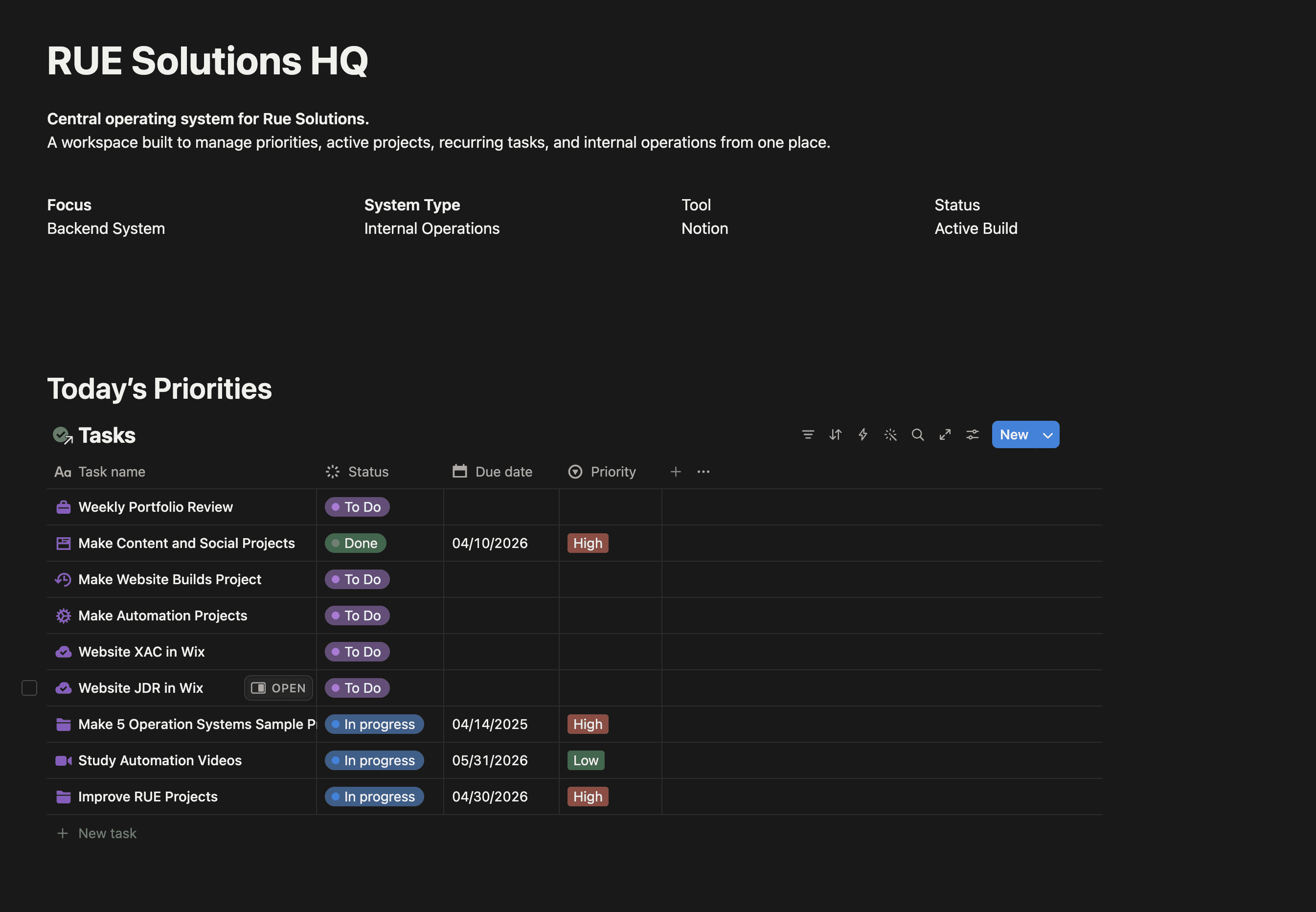
Today’s Priorities view
A filtered view for high-priority work so the most important tasks stay visible first.
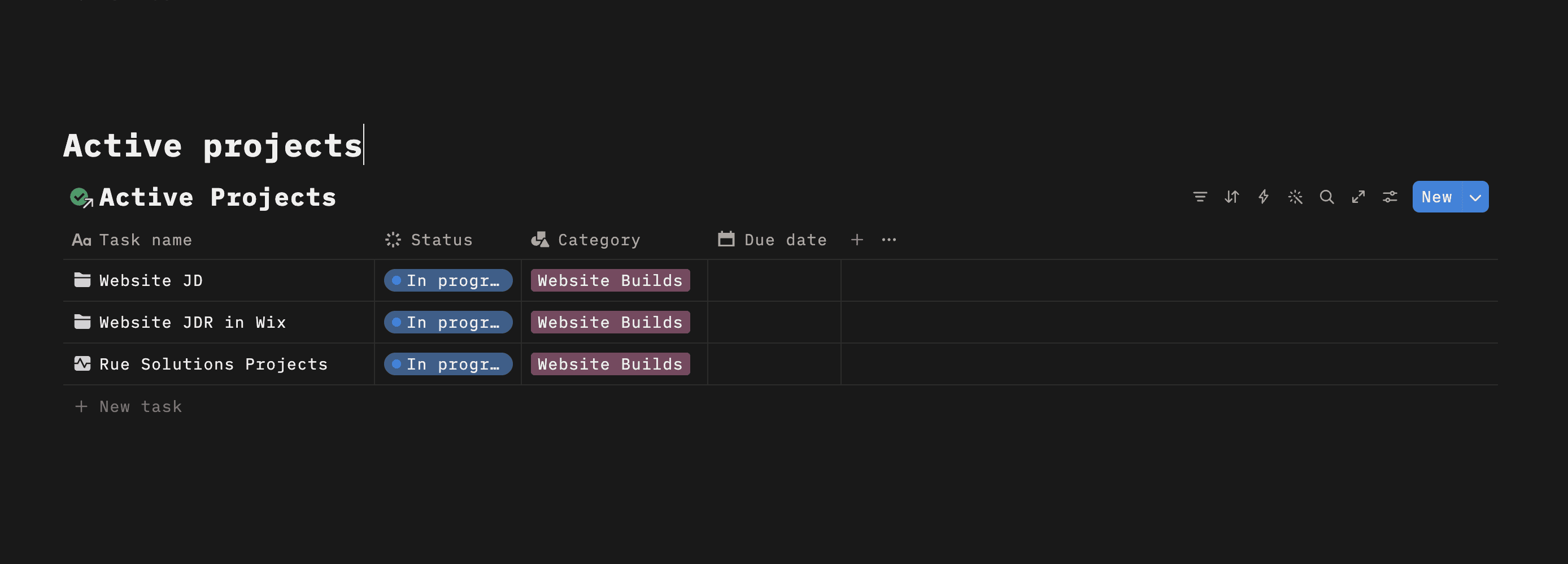
Active Projects tracker
A separate view for ongoing work to improve project visibility and reduce context switching.
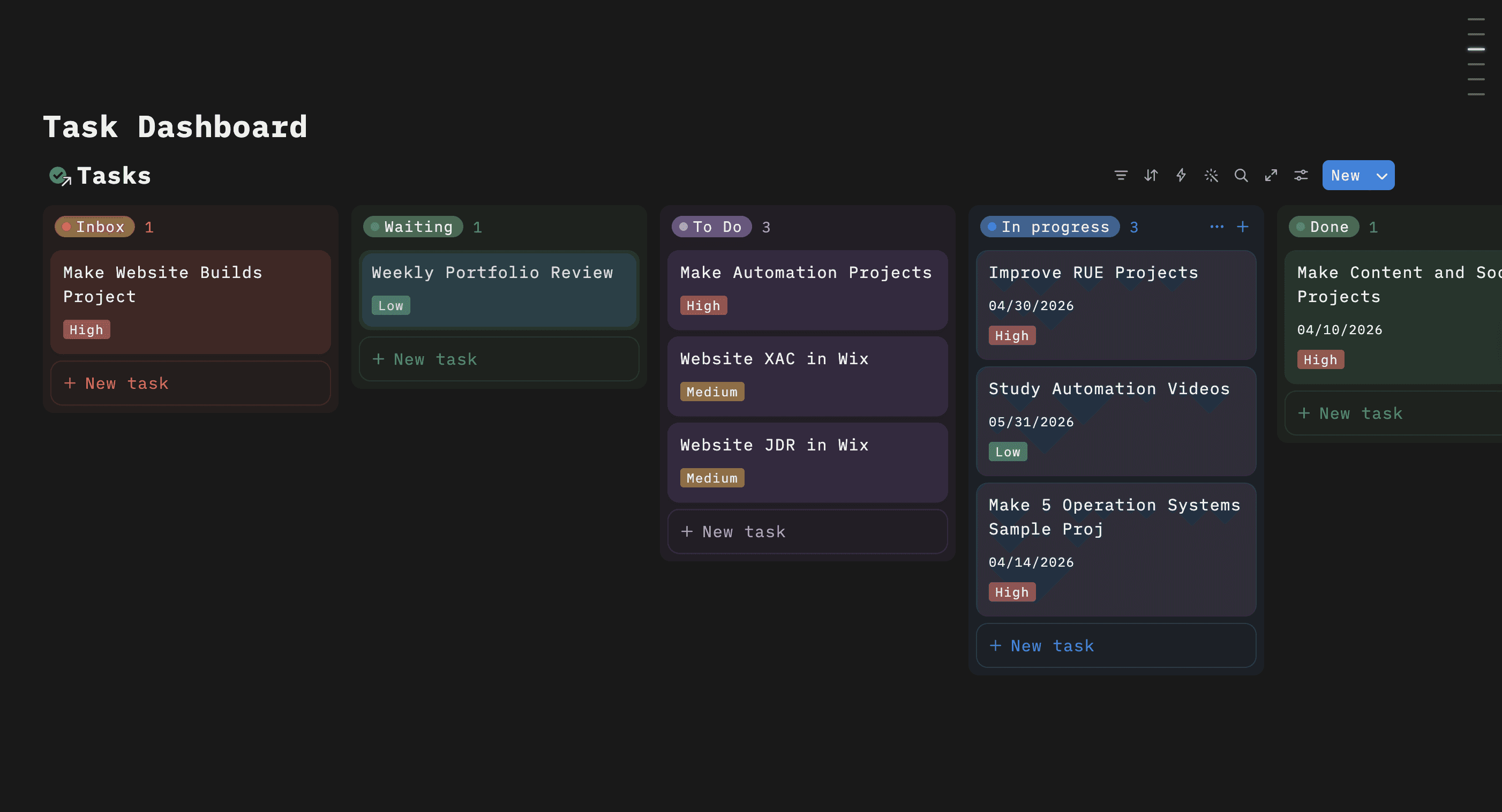
Task Dashboard board
A Kanban-style workflow grouped by status to track execution clearly from inbox to done.
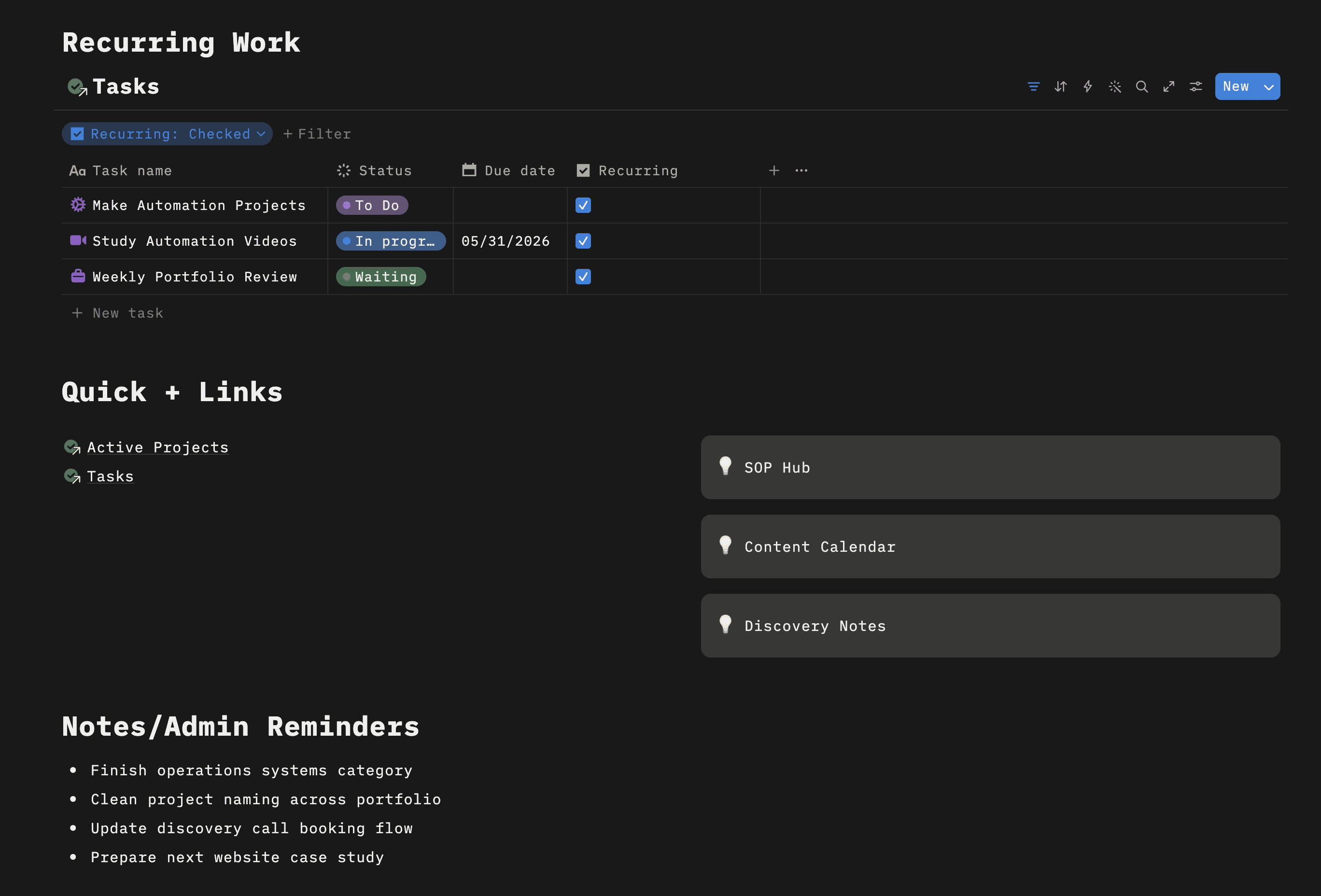
Recurring Work section
A dedicated filtered view for repeat tasks, making routine operations easier to maintain.
How the system works
Capture incoming work
Tasks are added into one central database instead of being scattered across notes, tabs, or memory.
Separate priorities from everything else
A filtered priorities view keeps the most urgent work visible without overwhelming the main dashboard.
Track movement through status
The board view makes it easy to see what is waiting, active, blocked, or complete.
Keep recurring operations alive
Repeat tasks are surfaced separately so weekly responsibilities are not buried under one-off work.
Use your board screenshot here
Use your priorities screenshot here
Use your recurring screenshot here
A moving operations showcase
Replace these with the exact labels that match your final system.
What this system improved
Better task visibility
High-priority and active work became easier to see at a glance.
Cleaner project oversight
Projects no longer sat in disconnected notes or unclear lists.
More reliable recurring execution
Routine work became easier to track and less likely to be missed.
Lower mental clutter
The system reduced the need to mentally hold every moving part.
Need a backend system that makes your business easier to run?
I build internal systems that organize tasks, improve visibility, and give operations a structure that actually supports daily execution.